Advelous
AI photo editing · pay per edit

AI photo editing that just works.

Free preview — 1 full-quality edit on the house

Background swap,face expression, body movement, hair style, object removal, style transfer, lighting fixes — all in seconds. $0.50 for 3 edits. No login. No subscription. No monthly fee.

Pay per edit, not per month

One $0.50 payment unlocks 3 AI photo edits. Compare that to Adobe Firefly ($4.99/mo) or Canva Pro ($13/mo).

Describe it in plain English

"Remove the background," "make it look like a Wes Anderson film," "add golden-hour lighting" — the AI understands.

No account, no tracking

Upload, edit, download. Your photos are never stored. Secure payment via Stripe.

How AI photo editing works on Advelous

  1. 1. Upload a photo — JPG or PNG, any size.
  2. 2. Describe the edit — one sentence is enough.
  3. 3. Pay $0.50 once — Stripe checkout, no account needed.
  4. 4. Download instantly — plus 2 more edits saved for a week in your browser.

Real edits, and the prompts behind them

Every image below was produced on Advelous from a single sentence. The prompt under each result is the exact wording that made it — a useful guide to how much (and how little) you need to write.
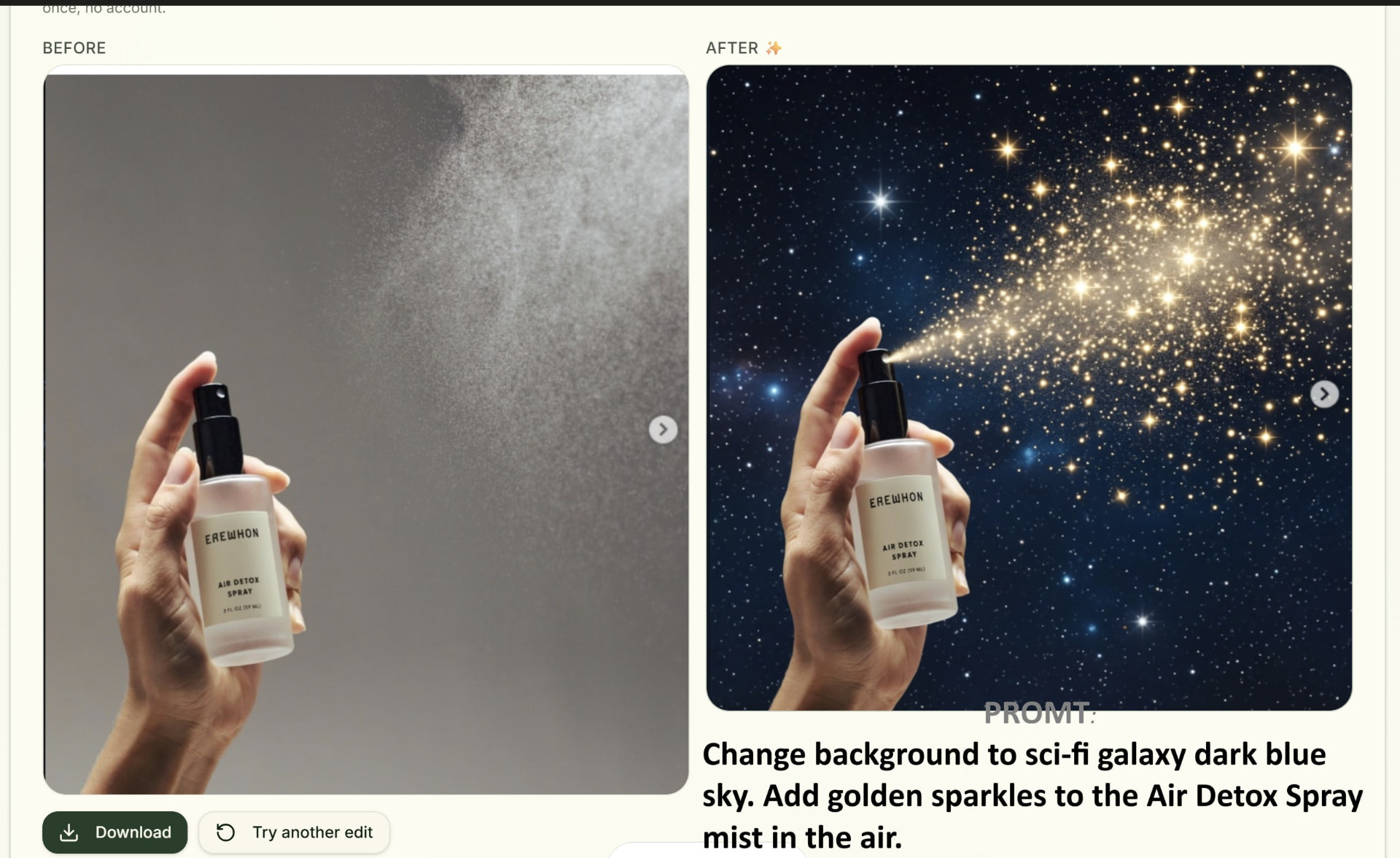
Product photo of a spray bottle edited onto a cosmic galaxy background with golden sparkles

Prompt: “Add golden sparkles floating around the bottle against a cosmic galaxy backdrop”

Product shots: replace a plain backdrop and add atmosphere in one prompt.
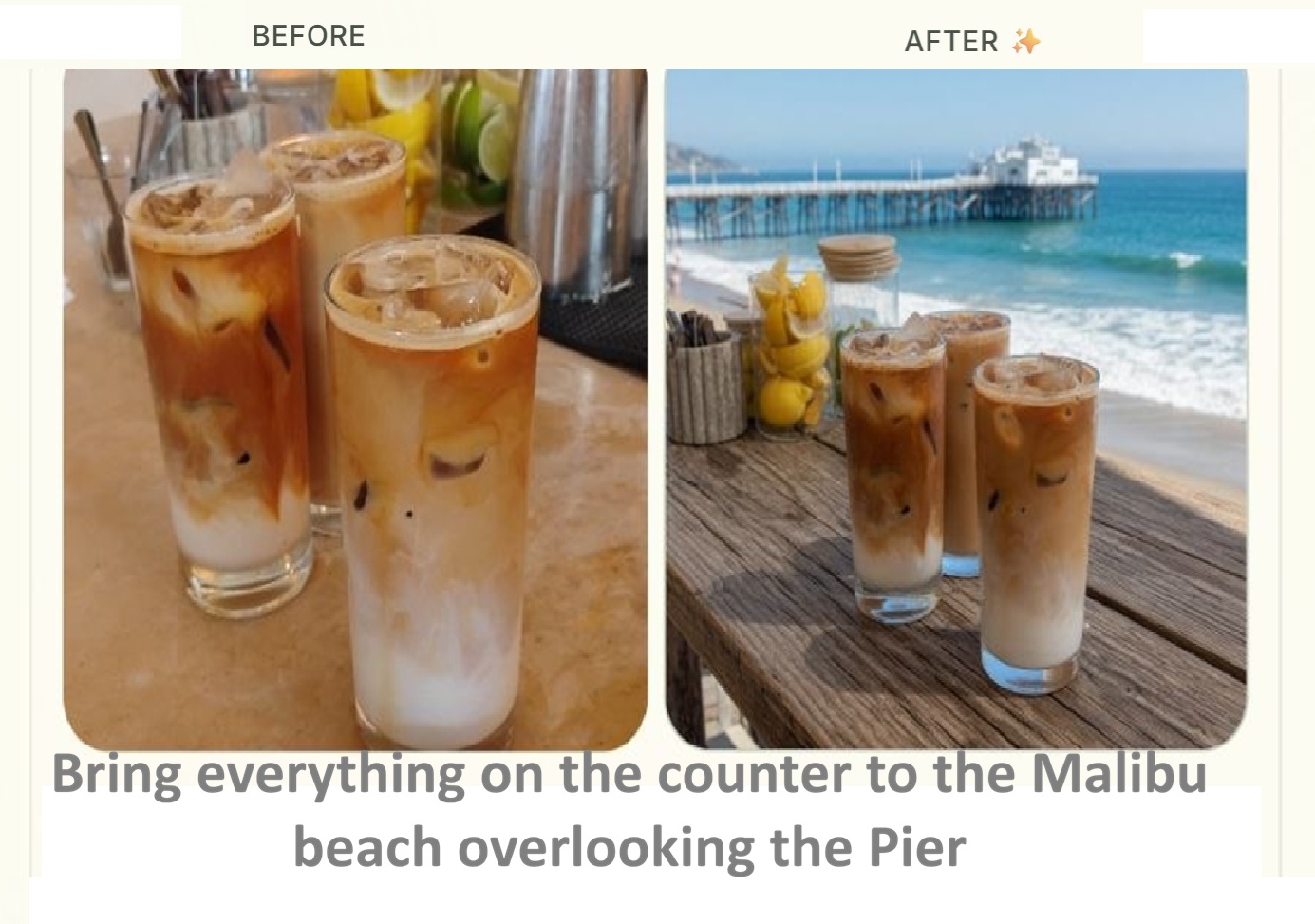
Iced coffee cup edited from an indoor shot onto a sunny beach at golden hour

Prompt: “Place the iced coffee on a sunny Malibu beach at golden hour”

Background swap: name the place and the light, not the pixels.
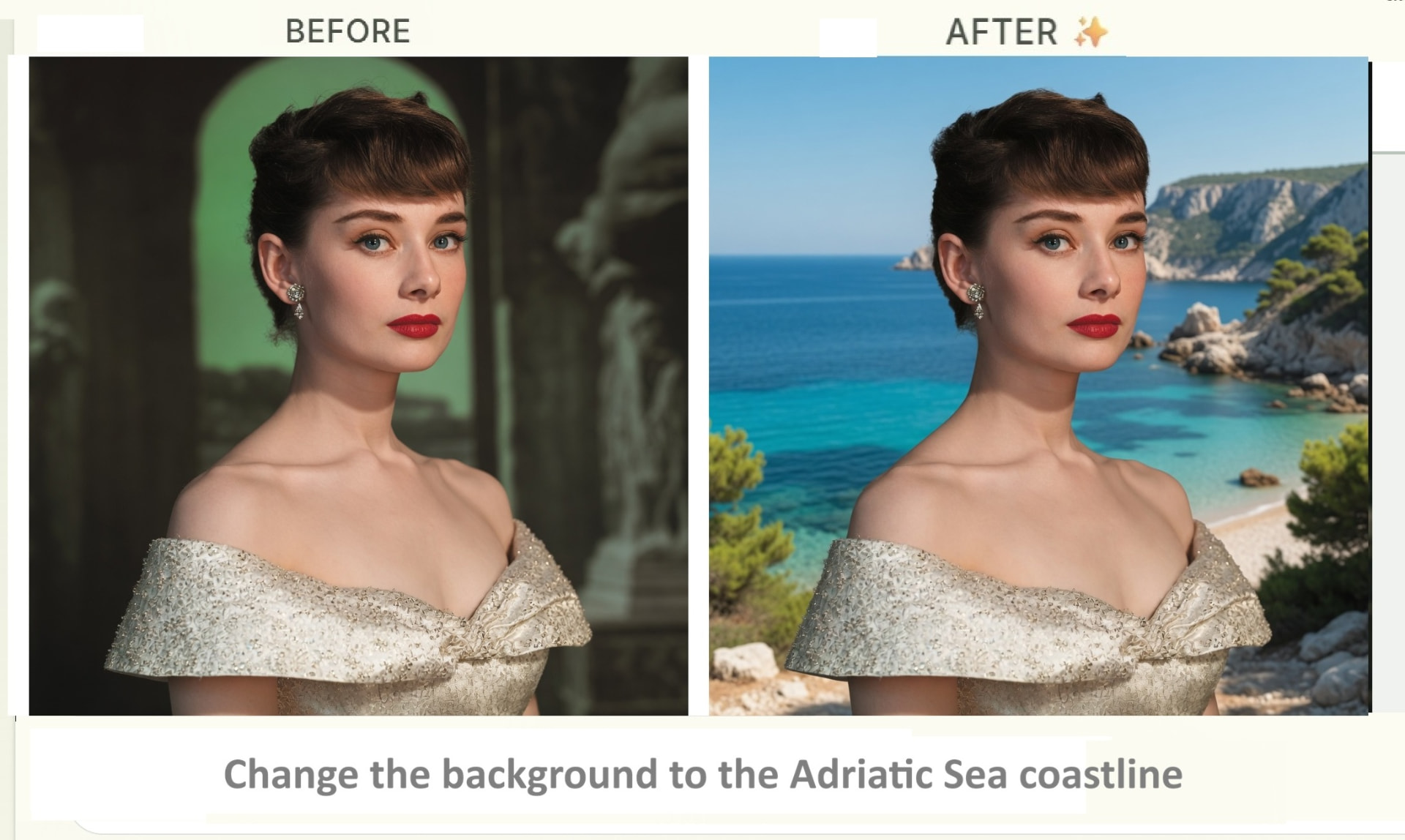
Portrait edited so the subject stands on the Adriatic coastline at sunset

Prompt: “Transport her to the Adriatic Sea coastline at sunset”

Travel-style scenes keep the face intact while the setting changes.
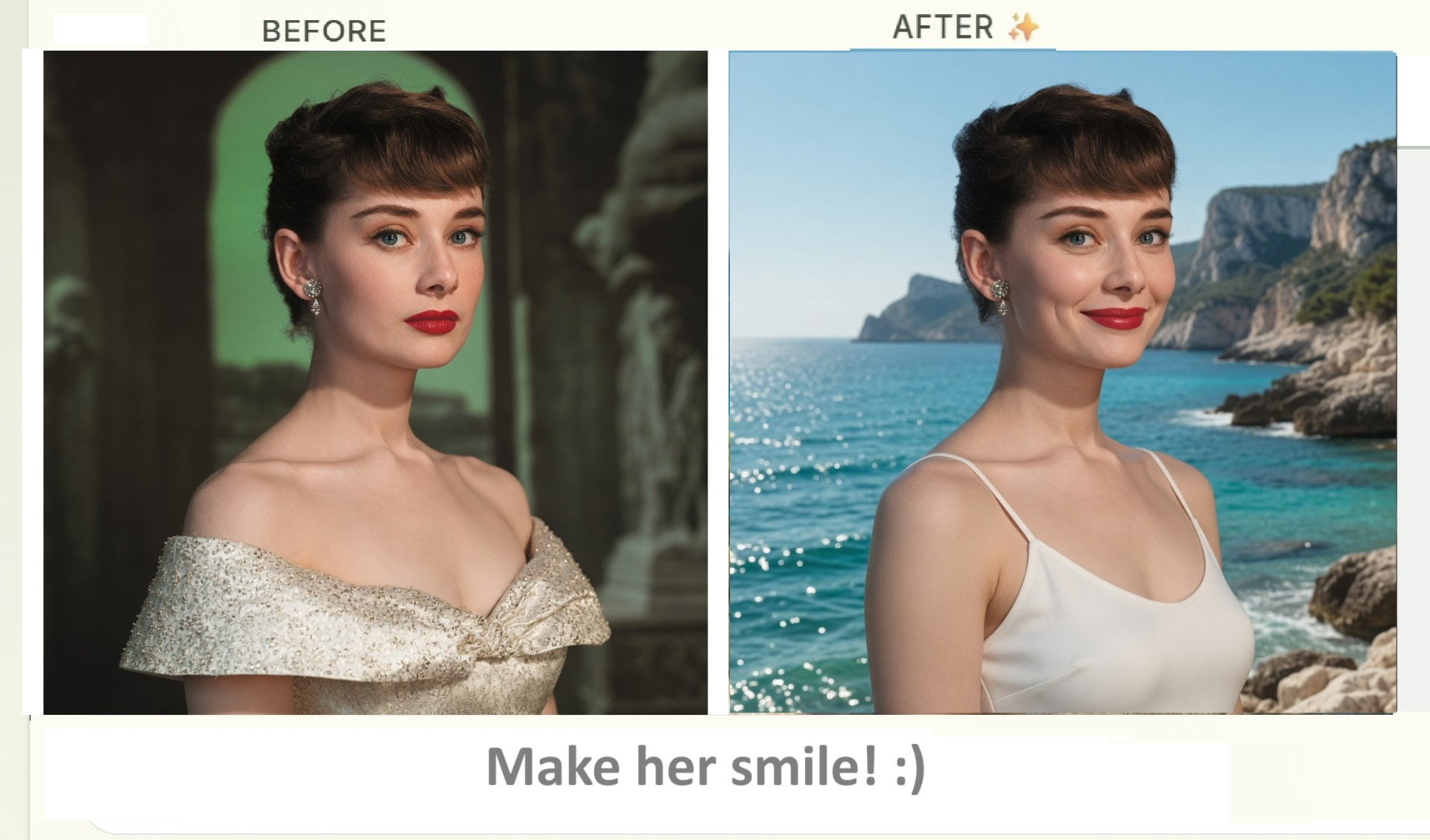
Portrait edited to change a neutral expression into a warm smile

Prompt: “Make her smile :)”

Expression fixes rescue a photo where everything else was right.
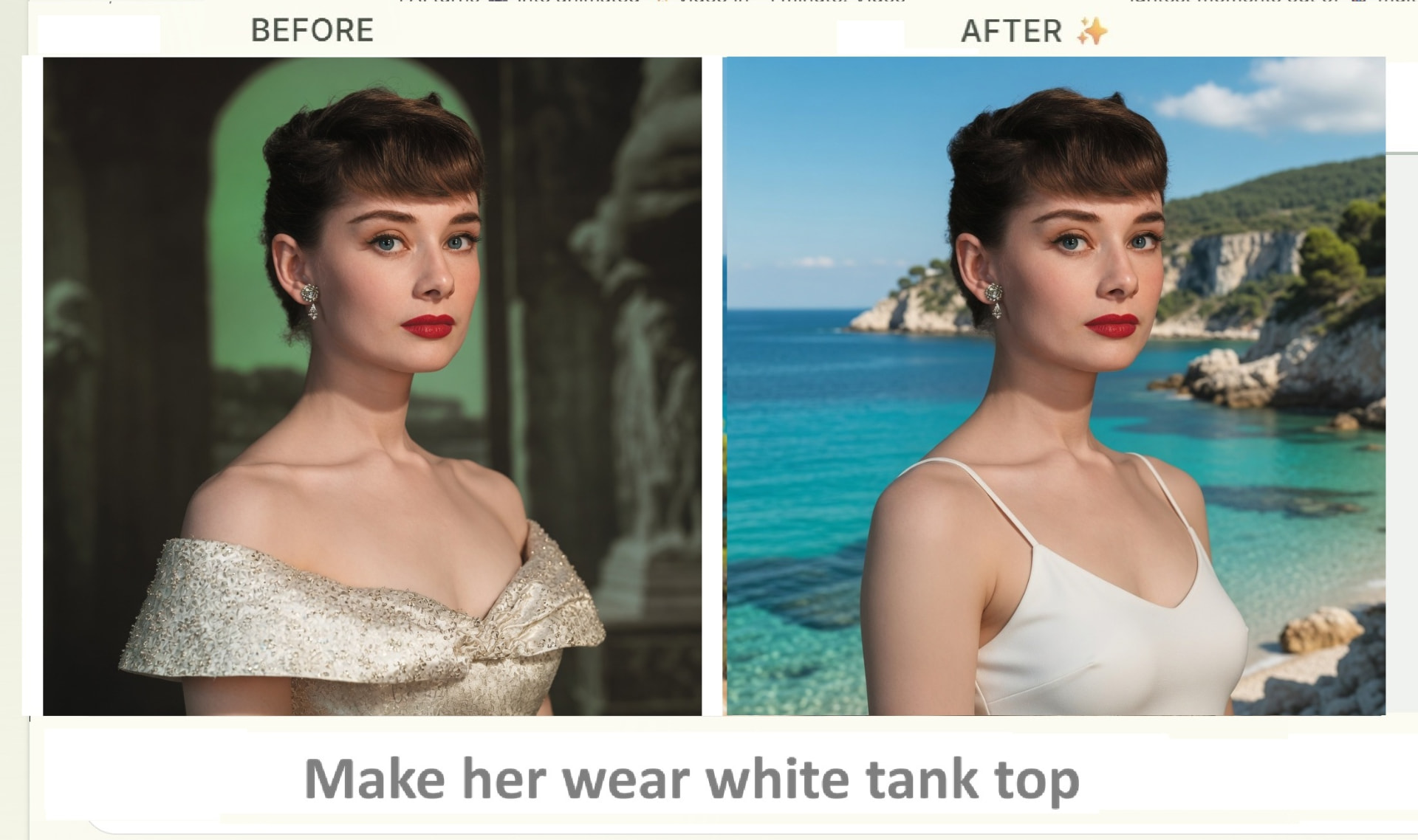
Portrait edited to change the subject's top to a white tank top with soft lighting

Prompt: “Change her outfit to a white tank top with soft natural lighting”

Outfit and lighting changes can be combined in a single request.
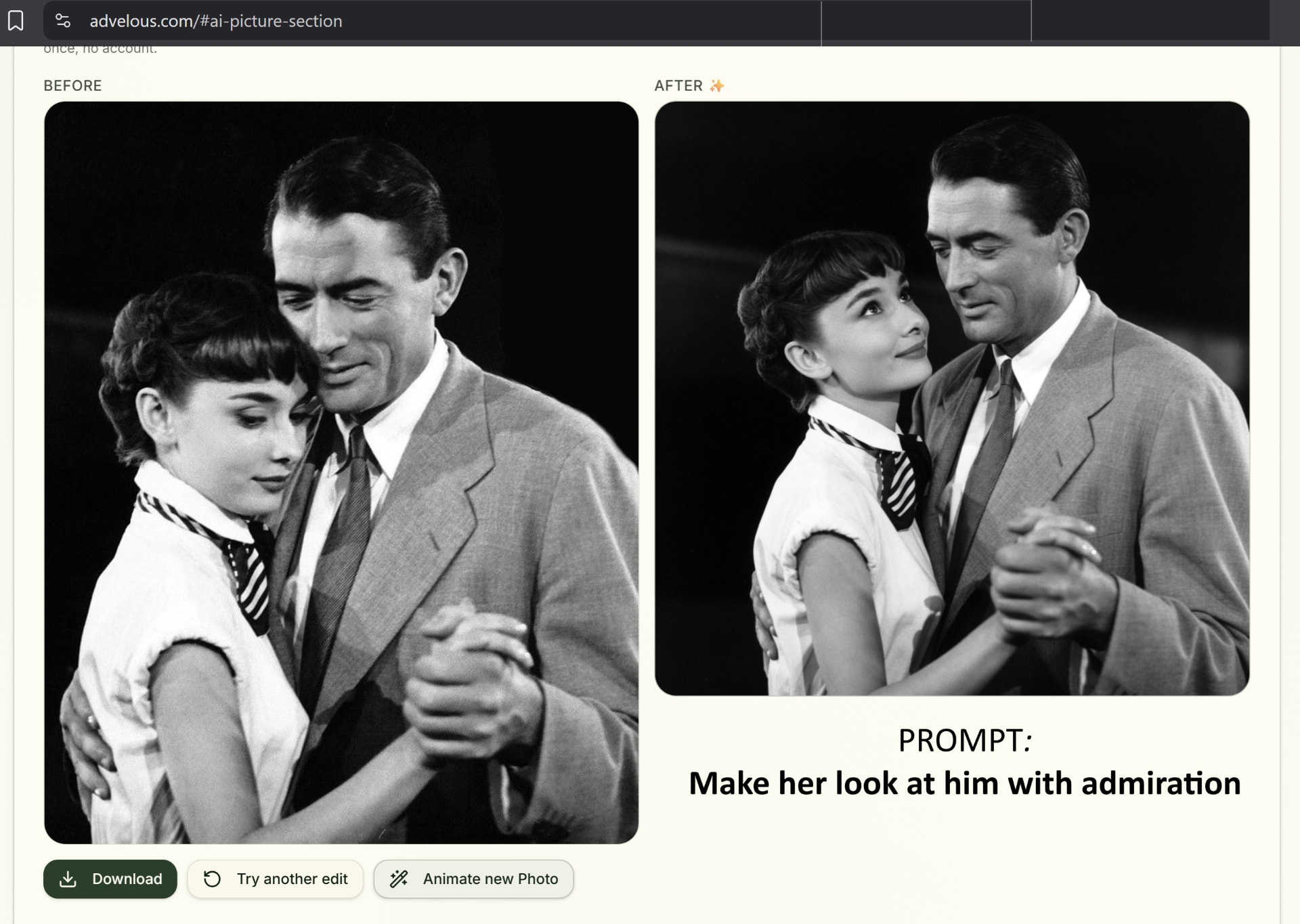
Vintage-style couple photo edited so the woman looks toward the man

Prompt: “Make her look at him with admiration”

Gaze and pose nudges work on old scans too.

What you can edit

Background swap

Move a subject or product to a new place — a beach, a studio backdrop, a plain white cutout — by naming the location and the light you want. Useful for listings, profile photos and anything shot in a cluttered room.

Object and blemish removal

Ask for the distraction to go: a stranger in the frame, a power line, a trash bin, a logo on a shirt. The AI fills the gap with matching texture instead of a blur patch.

Expression and pose tweaks

Turn a closed-mouth stare into a smile, or shift a gaze toward the camera, while keeping the same person recognisable. Handy for group photos where one face didn't cooperate.

Lighting and colour fixes

Add golden-hour warmth, lift a shot taken under office fluorescents, or recover a backlit silhouette. Describe the mood rather than the slider values.

Outfit and styling changes

Swap a top, change a colour, or dress a portrait up for an occasion. For a dedicated flow with a garment reference photo, use the virtual try-on page.

Style transfer

Reinterpret a photo as film stock, watercolour, cinematic teal-and-orange, or a specific era's look. Name the reference style in plain words.

Looking for something more specific? Virtual try-on swaps a real garment from a second photo, Time Machine restyles a portrait into a past decade, and photo animation turns a still into a short video.

Getting a good result the first time

What helps

  • A sharp original where the subject is clearly lit and reasonably large in the frame.
  • One sentence describing the finished picture, not a list of steps.
  • Saying explicitly what must not change — “keep her face and hair exactly as they are”.
  • Naming a concrete reference: “golden hour”, “plain studio grey”, “35mm film”.

What usually goes wrong

  • Heavily compressed screenshots or photos of a screen.
  • Very dark or motion-blurred originals — there is no detail left to work with.
  • Five unrelated changes in one prompt; run them as separate edits instead.
  • Tiny faces in a wide group shot — crop closer before uploading.

Frequently asked questions

How much does Advelous AI photo editor cost?
$0.50 for 3 AI edits. No subscription, no account required. Compare to Adobe Firefly ($4.99/mo), Canva Pro ($13/mo) or Remove.bg ($0.20/image — background removal only).
How does Advelous compare to Adobe Firefly or Canva AI as a photo editor?
No subscription and no account. You pay $0.50 for 3 edits and stop whenever you want. Adobe Firefly costs $4.99/mo and Canva Pro $13/mo whether you use them or not. Advelous also lets every visitor try one full edit free with no card required.
Do I need an account to edit photos with AI?
No. Advelous requires no sign-in or login. Upload, describe the edit, pay $0.50, and download the result.
What kinds of AI photo edits can Advelous do?
Background swap, object removal, style transfer, lighting adjustments, expression and pose tweaks, outfit changes, and more — anything you can describe in plain English.
Can I try it before paying?
Yes. Every visitor gets one full-quality edit free, with no card and no account. If the result isn't what you wanted, you've lost nothing.
What file types and sizes work best?
JPG and PNG uploads. A sharp, well-lit photo where the subject fills a good part of the frame gives the most reliable result; heavily compressed screenshots and very dark photos are the usual cause of disappointing edits.
How long does one edit take?
Most edits come back in well under a minute. You stay on the page while it runs and can download the result immediately.
Are my photos stored or used to train anything?
No. Your uploads are not kept on our servers after the edit, and payments go through Stripe — Advelous never sees your card details.
How do I write a prompt that works?
One clear sentence describing the end state beats a list of instructions. Say what should change and what must stay the same, for example 'replace the background with a plain studio grey, keep her face and hair exactly as they are'.
What if the edit isn't right?
Each $0.50 purchase covers 3 edits, so you can rephrase and run it again. Edits stay available in your browser for a week, so you can come back and download an earlier version.
Is there anything the editor won't do?
Yes. Requests involving explicit content, or anything that would sexualise or misrepresent a person, are blocked before generation and you are not charged for them.